Delete a Draft or Awaiting Approval invoice
- In the Sales menu, select Invoices.
- Find and open the invoice. Use Search if you know the contact's name or the invoice amount.
- Click the menu icon, then select Delete.
- Click Delete to confirm.
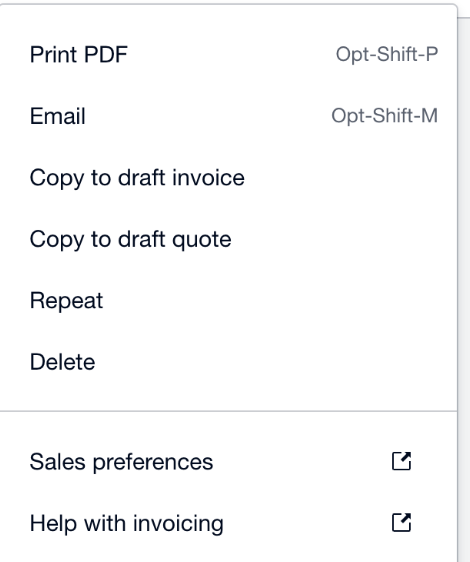
Several drafts to remove? Xero deletes Draft and Awaiting Approval invoices in bulk from the list: tick them on the Draft or Awaiting Approval tab and click Delete. See how to bulk delete invoices in Xero.
Void an Awaiting Payment invoice
Once an invoice is approved it sits on the Awaiting Payment tab, and Xero no longer deletes it. You void it instead:
- In the Sales menu, select Invoices.
- Find and open the invoice. Use Search if you know the contact's name or the invoice amount.
- Click the menu icon, then select Void.
- Click Void to confirm.
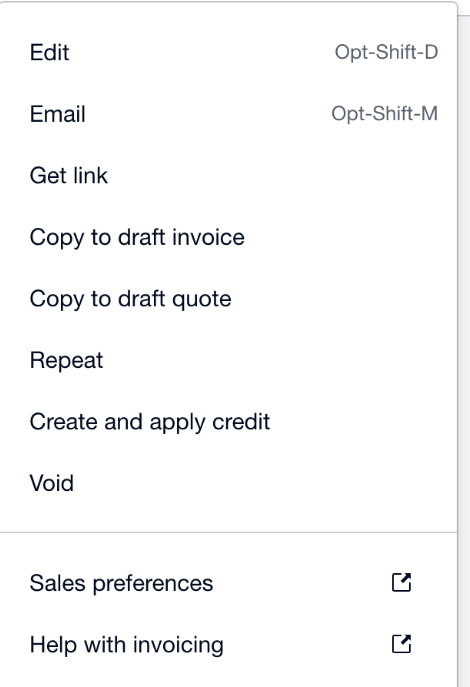
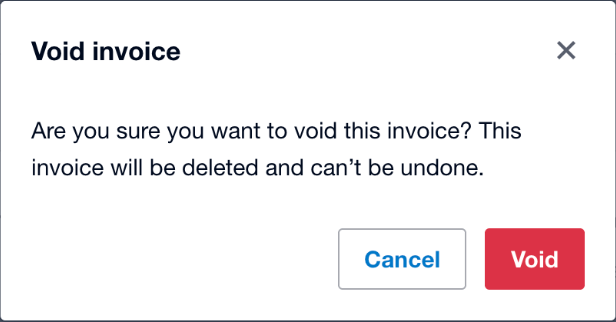
Xero's confirmation says the invoice "will be deleted", but a voided invoice isn't removed.
A voided invoice can't be reinstated or restored. It stays in Xero as a record, marked Void. To see it again, search the All tab with Include Deleted & Voided ticked: how to find voided invoices in Xero.
Void a paid or part-paid invoice
Xero only voids an invoice that's awaiting payment. While an invoice has a payment on it, Void isn't in its menu at all:
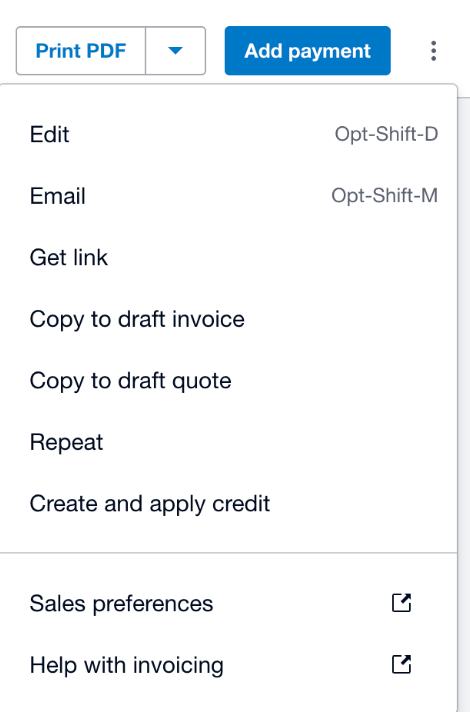
Remove the payment first with Remove & Redo:
- Select the Paid or Awaiting Payment tab.
- Find and open the paid or part-paid invoice.
- Click Less payment with the payment date.
- Click Options, then select Remove & Redo.
The invoice goes back to Awaiting Payment, and you can void it. The bank statement line stays in the bank account, so you can reconcile it with another invoice or bill.
A payment removed with Remove & Redo can't be restored.
Delete, void, or correct it instead?
- Not sent yet? If the invoice only has a mistake and your customer hasn't seen it, Xero suggests editing it instead. Awaiting Payment invoices can be edited.
- Already sent? To correct a sent invoice, Xero suggests a credit note, so you and your customer keep an audit trail.
- Need the number again? A deleted Draft or Awaiting Approval invoice frees its number. A voided invoice keeps it, so change the number on the invoice before you void it.
- Need it back later? Deleted and voided invoices can be copied. To re-create one, copy it or create a new invoice.
Many invoices to void?
Xero voids Awaiting Payment invoices one at a time: "You can't void awaiting payment invoices in bulk, you need to void them individually." For a batch, say after a duplicate import or a migration, you repeat the steps above for every invoice, script it with the Xero API, or use a browser extension. How to void multiple invoices in Xero compares the three.
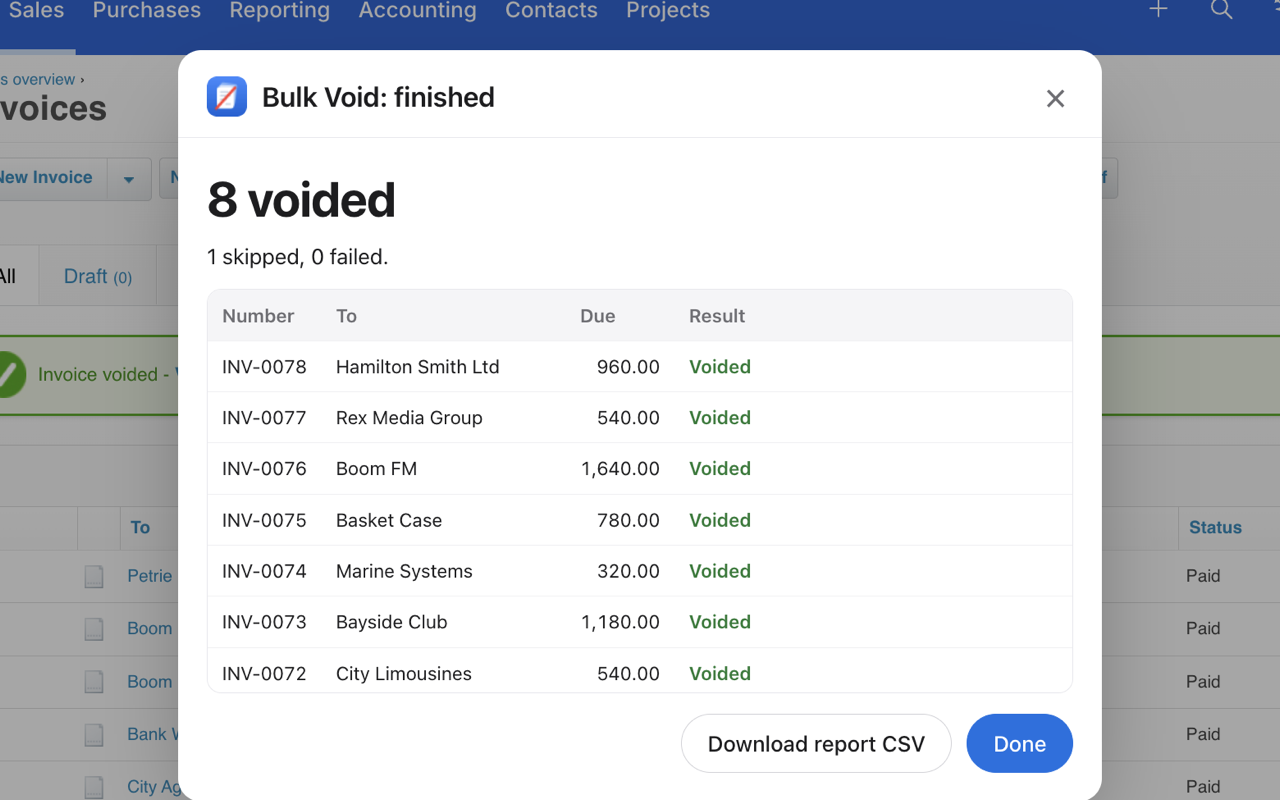
Bulk Void for Xero
- Saves a backup CSV of the whole batch before it starts: number, contact, date, amount and reference.
- Shows a dry run of which invoices will be voided and which will be skipped.
- Voids them one after another, at a human pace, and ends with a report: voided, skipped, failed.
It only voids invoices with no payments or credit notes applied. It doesn't connect to the Xero API, and your invoice data stays on your computer. Free for your first 5 invoices, then $29 per Xero organisation.
See how Bulk Void worksQuestions
What does void mean in Xero?
Voiding cancels an approved (Awaiting Payment) invoice but keeps it in Xero as a record, marked Void. A voided invoice can't be reinstated or restored, and its number can't be reused.
What is the difference between deleting and voiding an invoice in Xero?
You delete an invoice that is still Draft or Awaiting Approval, and its number can be reused. You void an invoice that is Awaiting Payment; it stays in Xero as a record and its number can't be reused.
Can you delete an approved invoice in Xero?
No. Xero deletes Draft and Awaiting Approval invoices. An approved invoice, in the Awaiting Payment status, is voided instead.
Can I void a paid invoice in Xero?
Not while it has a payment. Remove the payment with Remove & Redo, the invoice goes back to Awaiting Payment, and then you can void it.
Can a voided invoice be restored?
No. Xero says voided invoices can't be reinstated or restored. To re-create one, copy the voided invoice or create a new invoice.