Find voided or deleted sales invoices
Xero shows them from the Invoices screen in the web version of Xero:
- In the Sales menu, select Invoices.
- Select the All tab.
- Click Search. To narrow it down, enter an invoice number, reference, contact or amount.
- Select the Include Deleted & Voided checkbox, then click Search in the panel.

In the results, the Status column reads Voided. Open one and the invoice carries a Void tag next to its number.

Find voided or deleted bills
- In the Purchases menu, select Bills.
- Select the All tab, then click Filter.
- Select the Deleted & voided checkbox.
If you can't see them, check your user role: Xero says your role determines whether you can delete or void bills, or view deleted or voided bills.
What you can still do with a voided invoice
- You can't un-void it. Xero says voided invoices can't be reinstated or restored.
- You can copy it. To re-create an invoice, copy the deleted or voided one, or create a new invoice.
- Its number stays taken. If you void a transaction, you can't reuse its number. A deleted Draft or Awaiting Approval invoice frees its number.
- It stays as a record. Xero's delete option is for Draft and Awaiting Approval invoices, so a voided invoice doesn't get deleted later. It just stays out of the way until you tick Include Deleted & Voided.
Voiding a batch?
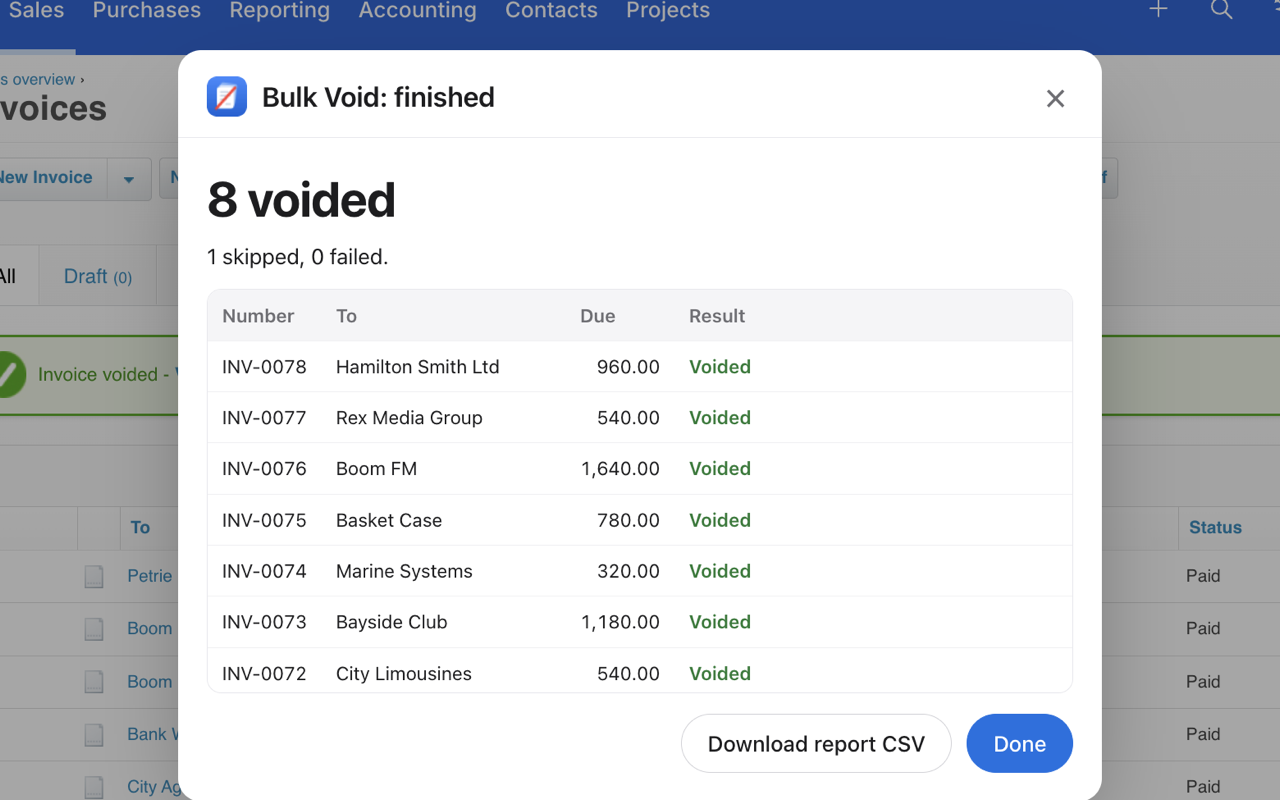
Xero voids Awaiting Payment sales invoices one at a time, so after a big clean-up it's worth keeping your own list of what you voided. How to void or delete an invoice in Xero has the steps for one invoice, and how to void multiple invoices in Xero covers a batch.
Bulk Void for Xero
- Saves a backup CSV of the whole batch before it starts: number, contact, date, amount and reference.
- Shows a dry run of which invoices will be voided and which will be skipped.
- Voids them one after another, at a human pace, and ends with a report you can save as CSV.
It doesn't connect to the Xero API, and your invoice data stays on your computer. Free for your first 5 invoices, then $29 per Xero organisation.
See how Bulk Void worksQuestions
Where do voided invoices go in Xero?
They stay in Xero as a record. In the web version, open the All tab of the Invoices screen, search for the invoice and select the Include Deleted & Voided checkbox.
Can I delete a voided invoice in Xero?
Xero's delete option is for Draft and Awaiting Approval invoices, so a voided invoice stays in Xero as a record. You can copy it if you need to re-create it.
Can I un-void an invoice in Xero?
No. Xero says voided invoices can't be reinstated or restored. Copy the voided invoice or create a new one instead.
How do I see voided bills in Xero?
On the Bills screen, select the All tab, click Filter and select the Deleted & voided checkbox. Your user role decides whether you can view deleted or voided bills.